
OIL CHANGE STICKER TEMPLATE FOR AVERY 22806

Fill a service reminder, preview the sheet, and test alignment before using label stock. See tool output example.

PRINT PREVIEW

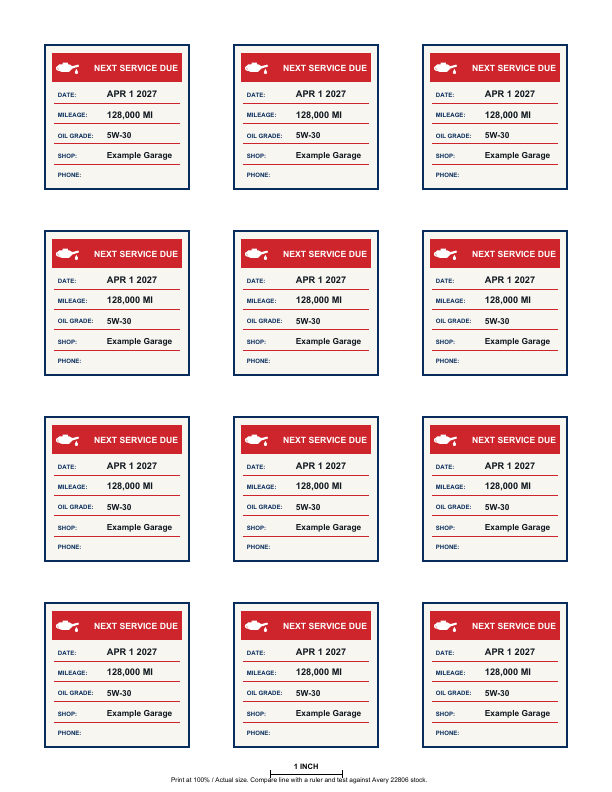
Tool-generated PDF example

Printable PDF example: Avery 22806 repeated sheet

Real repeated Letter PDF from the Avery 22806 generator, 12 × 2 inch square labels.

Documented example settingsTool-generated PDF example
Serviced on:
Oct 1, 2026 (2026-10-01)
Next service date:
Apr 1, 2027 (2027-04-01)
Current mileage:
123,000 MI
Next mileage:
128,000 MI
Oil grade:
5W-30
Shop name:
Example Garage
Phone / contact:
(None entered)
Sticker heading:
NEXT SERVICE DUE

Illustrative reminder: Date and mileage values are illustrative user-entered reminders, not a recommended service interval. These examples are files exported by the tool. Check a plain-paper print before using label stock.

Sample specifications & alignment steps

  • Sheet format: US Letter · 8.5 × 11.0 in (215.9 × 279.4 mm).
  • Label layout: 12 square labels per sheet (3 columns × 4 rows), 2.0 × 2.0 in (50.8 × 50.8 mm) each.
  • Mode count: 12 filled stickers (all identical with Example Garage reminder details).
  • Calibration check line: Includes a 1-inch (25.4 mm) horizontal check line in the bottom margin (not a square, preserving bottom-row margin spacing).
  • Manufacturer specifications: Avery confirms that template 22806 features 2 × 2 in square labels with 12 labels per sheet (see Avery 22806 template specifications). Avery official printing instructions recommend printing at 100% / Actual size and conducting a plain-paper alignment test (see Avery printing steps and options).
  • Alignment procedure: Print on plain paper at 100% scale first. Measure the 1-inch check line with a ruler, then hold the plain-paper print up to your Avery 22806 label sheet in bright light to verify alignment before printing on label stock. A scale check alone does not confirm printer feed alignment; always compare a plain-paper print against your label stock. Read the full print alignment guide.
  • Independent tool notice: This independent tool is not affiliated with or endorsed by Avery. We make no claim of independent printer alignment validation, universal compatibility, or vendor approval.

Avery 22806 oil change sticker questions

How many labels are on this sheet?

The template places twelve 2 × 2 inch stickers on a US Letter page for Avery 22806 label stock.
How do I check alignment before using label stock?

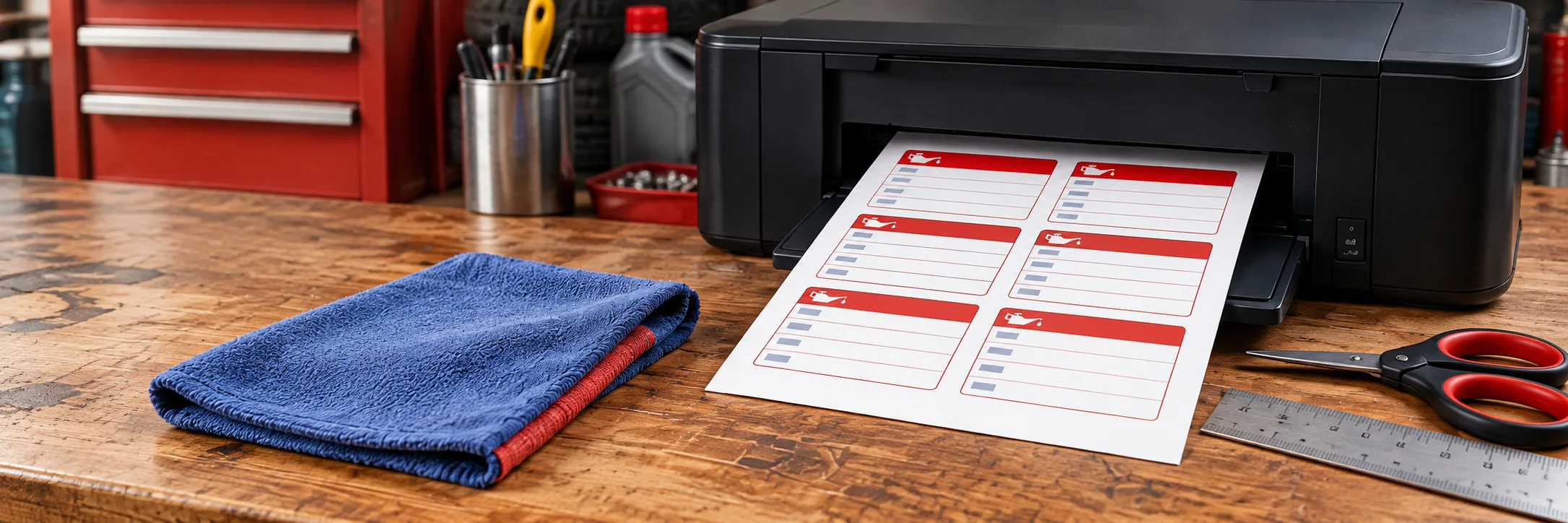
Print the PDF on plain paper at Actual Size or 100%, then hold it against your Avery sheet to check the label positions. Measure the 1-inch check line in the bottom margin to verify scale. A scale check alone does not confirm printer feed alignment; compare a plain-paper print against your label stock before printing. See the print alignment guide for the full checklist.

Can I use this template with other Avery sheets?

This template is arranged for Avery 22806 only. Check the product number and sheet dimensions before printing on different label stock.

Do I need to enter every service detail?

You can download a blank sheet, or add a service date, mileage, oil grade, shop name, and phone. When you add any details, enter both the next service date and mileage.